Test localhost, VPN, and SSO-gated staging — right from Jira.
VibeTest turns any Jira issue into a place to test. Describe the check in plain English or Given/When/Then — or generate one with AI from your requirement — then press Run, and your own AI coding agent runs it for real on your machine, streaming the pass/fail verdict, per-step results, and screenshots back to Jira.
No external backend · Your code never leaves your laptop
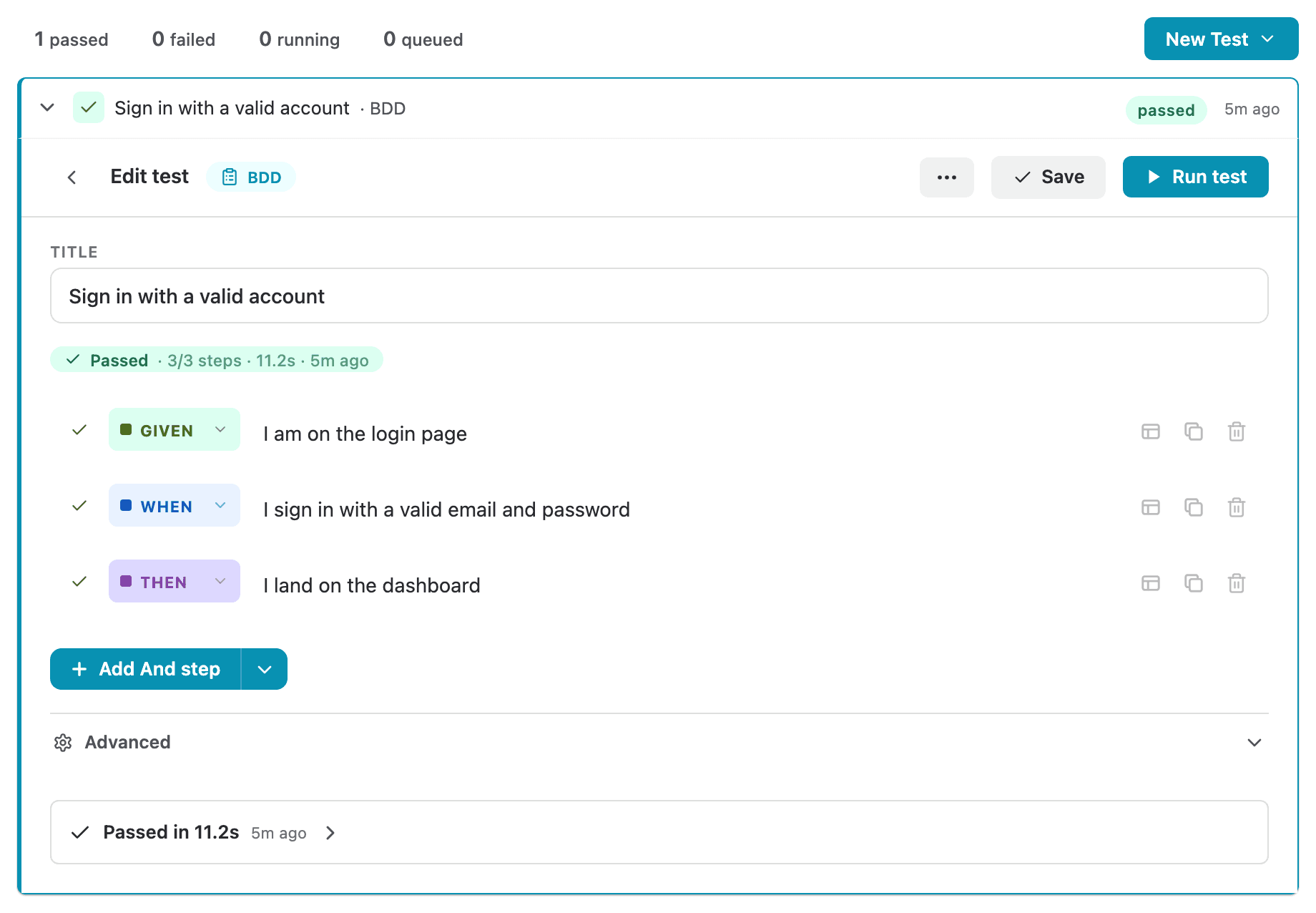 Test lives on the issuePass verdict + duration
Your staging is invisible to the cloud.
Cloud test runners are powerful — until they hit your perimeter.
The VPN Wall
Your staging sits behind a VPN. A cloud runner on someone else’s network simply can’t reach it.
The SSO Session Gap
Your app needs a real SSO login. Headless cloud runners don’t carry your authenticated session.
The Jira Disconnect
Results live in a separate tool. The ticket never learns whether the feature actually works.
Authored in Jira. Run by AI on your laptop.
Results where they belong.
Author
Open any Jira issue. Write a BDD scenario (Given/When/Then) or a freeform English task — or generate one with AI from your requirement, then tweak it. The test definition lives on the issue forever.
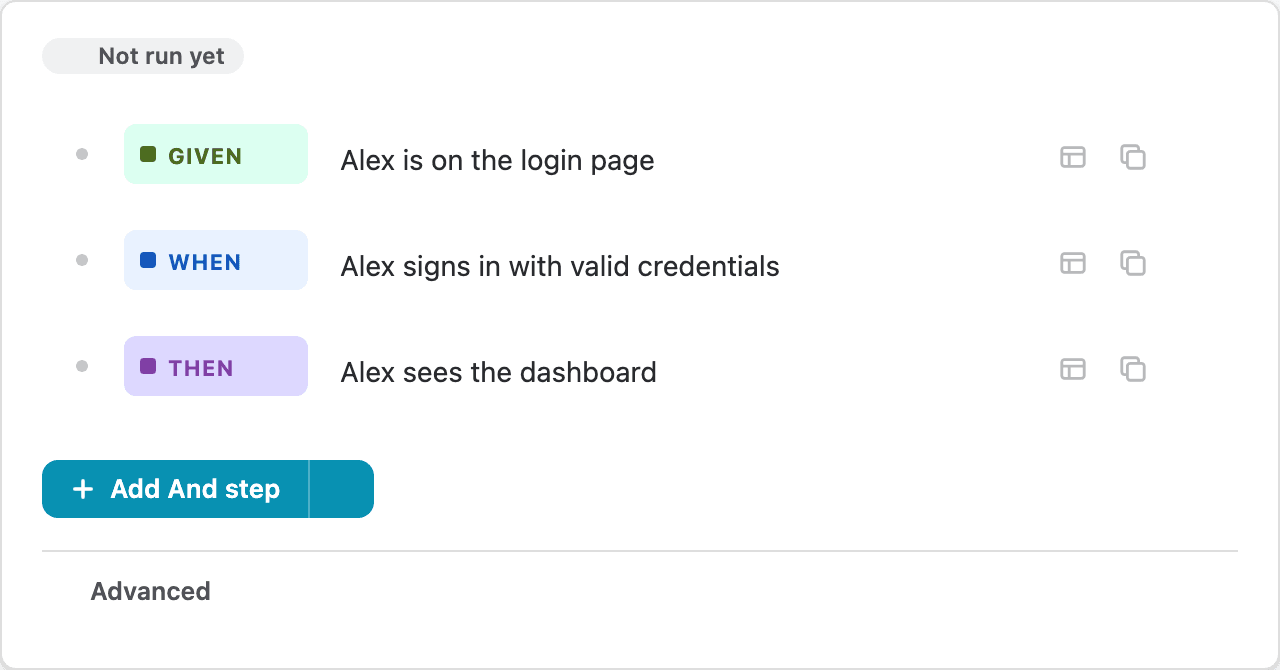
Execute
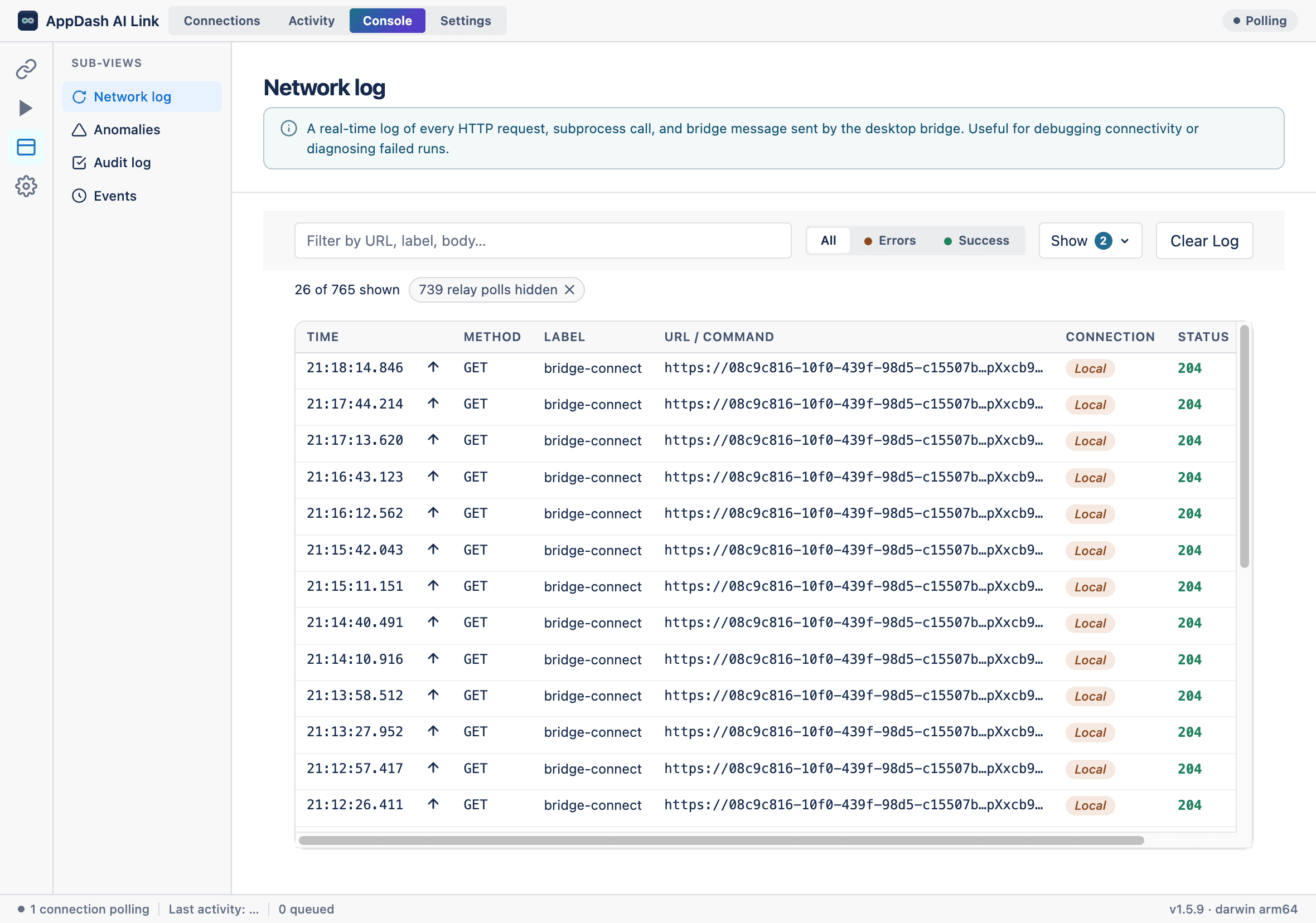
Press Run. The desktop app picks up the job and hands it to your AI coding agent, which drives your real browser or fires API requests. Everything runs locally — your network, your sessions, your environment.
Verify
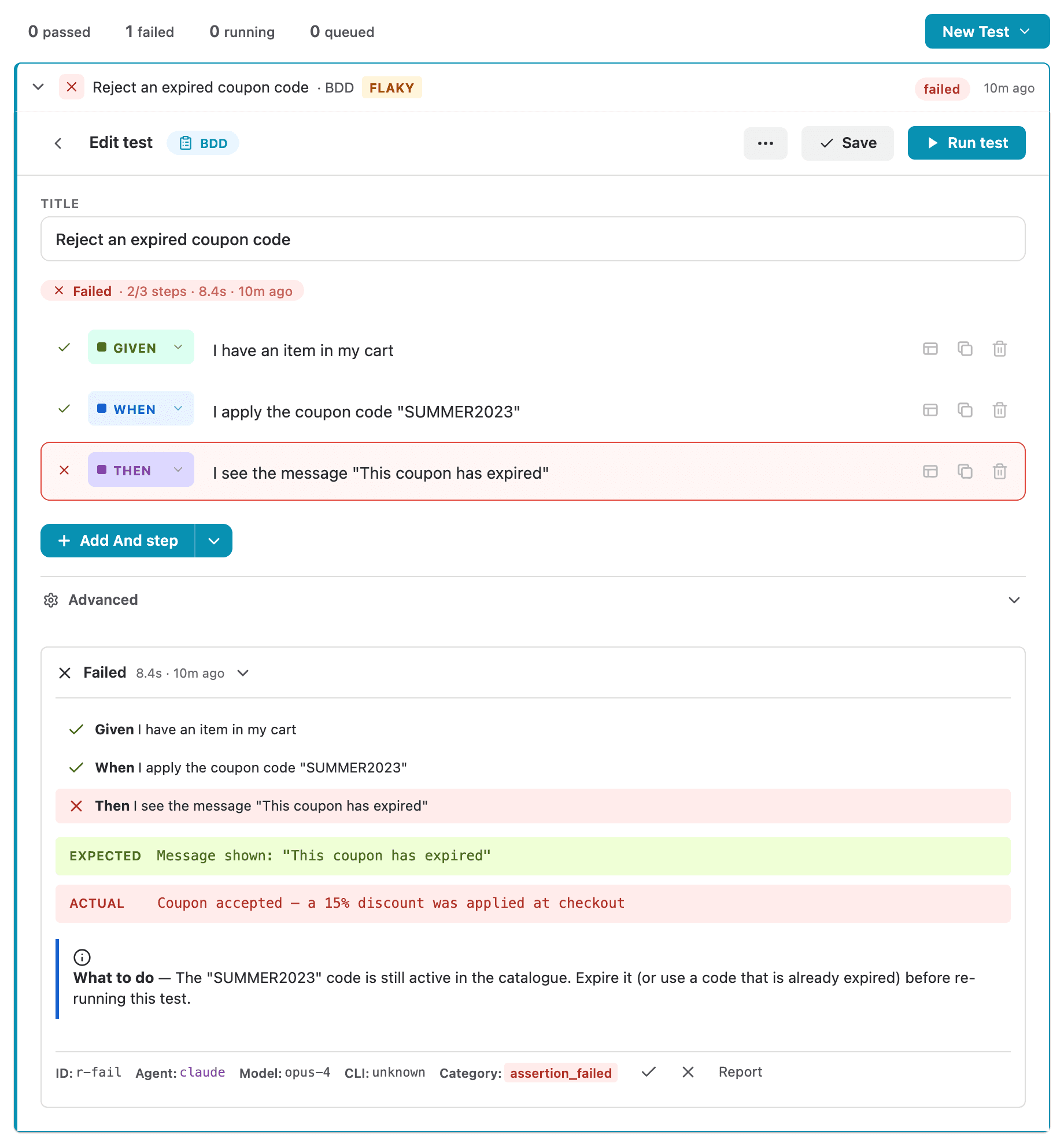
Results stream back in real time. A structured comment posts to the issue with the pass/fail verdict, duration, and screenshots. Every run is archived in the issue’s run history.
Per-step resultsGet started in three steps
1) Install from the Marketplace → 2) Download & pair the free desktop app → 3) Write your first test.
Write tests your way. One place to track.
AI-generated testsAI
Hand the agent a requirement or acceptance criteria and it drafts a runnable scenario for you. Review it, tweak it, run it — start from a working test, not a blank page.
BDD / Gherkin scenariosNo-code
Structured Given/When/Then tests your AI agent executes step-by-step in a real browser. Readable by humans, runnable by AI.
Freeform natural language
Describe a check in plain English. The agent interprets intent and drives the browser — no selectors to maintain.
Direct API testing
Fire HTTP requests and assert on responses — for the checks that don’t need a browser at all.
Local-first execution
Tests run on your machine with your logins and network access. Code and credentials never leave your laptop.
Screenshots on every run
Each run captures screenshots at the key steps, attached to the issue so anyone watching can see the proof.
Full run history
Every execution is archived on the issue — verdict, duration, screenshots — so the ticket always knows its own state.
Beyond the issue: your whole test suite in one place.
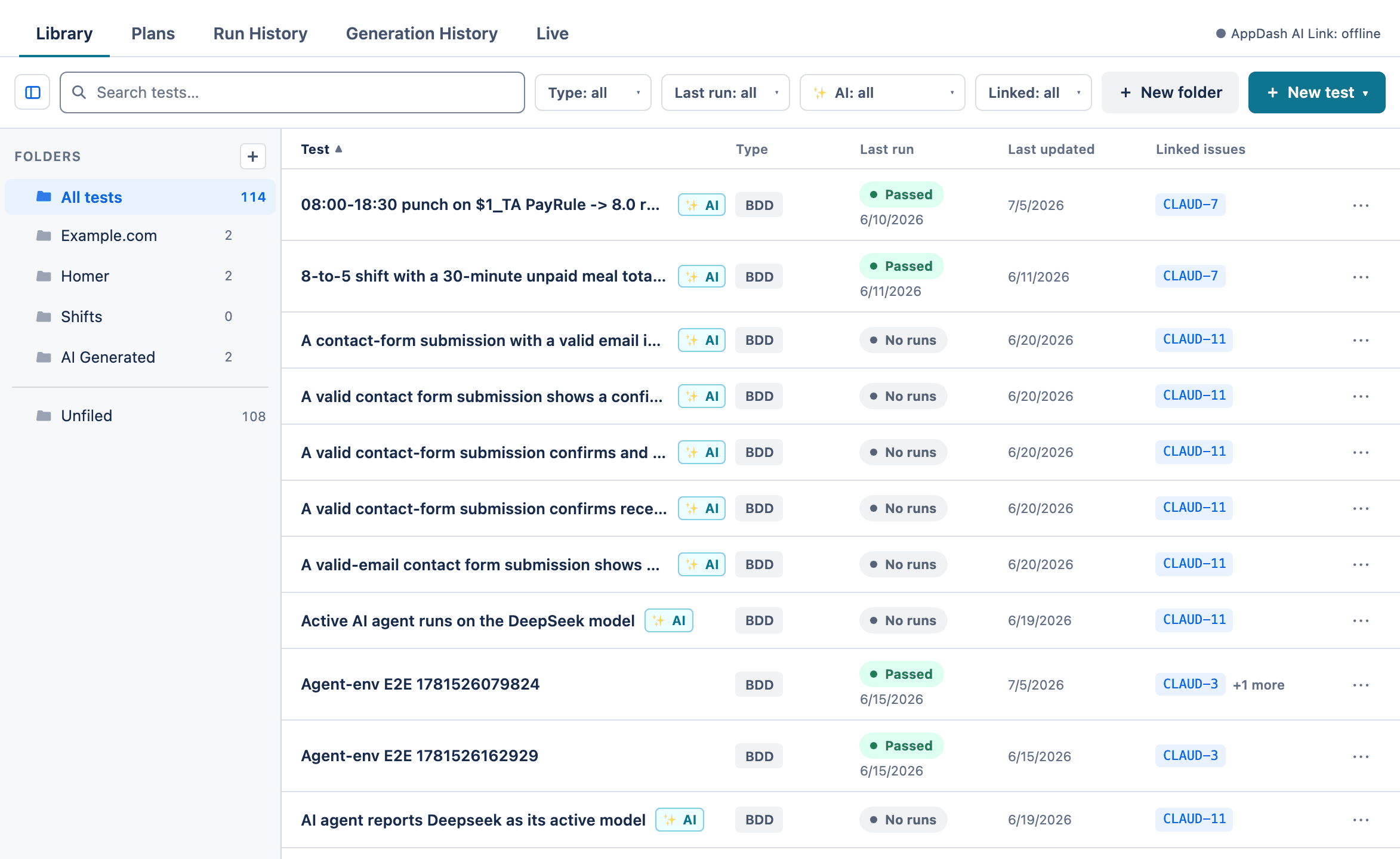
Every project gets its own VibeTest page — a library of all your tests, plans that batch them, and a live monitor for everything in flight.
Test Library
One home for every test in the project. Organize into folders, search and filter, and open any test — whether it’s linked to an issue or not.
Test Plans
Group tests into an ordered suite — a smoke set, a release checklist — and run them together, one at a time.
Live run monitorLive
Watch runs and plans happen in real time — what’s running, what’s queued, and why — with your paired desktop’s status at a glance.
Project-wide history
Every finished run and plan across the project, newest first — searchable, filterable, and expandable in place. AI generations get their own history too.
Run without an issue
Run any Library test on its own — no ticket required. Ideal for reusable regression checks that aren’t tied to a single story.
Screenshots to Confluence
Keep the screenshots from issue-less runs as pages in a Confluence space you choose. Optional, and off until you switch it on.
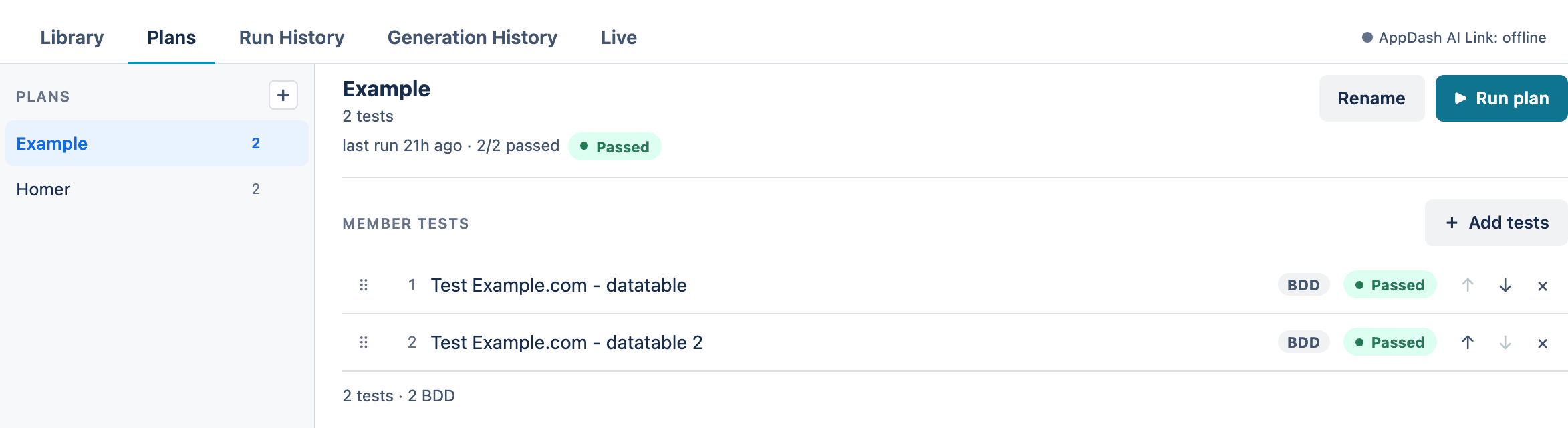
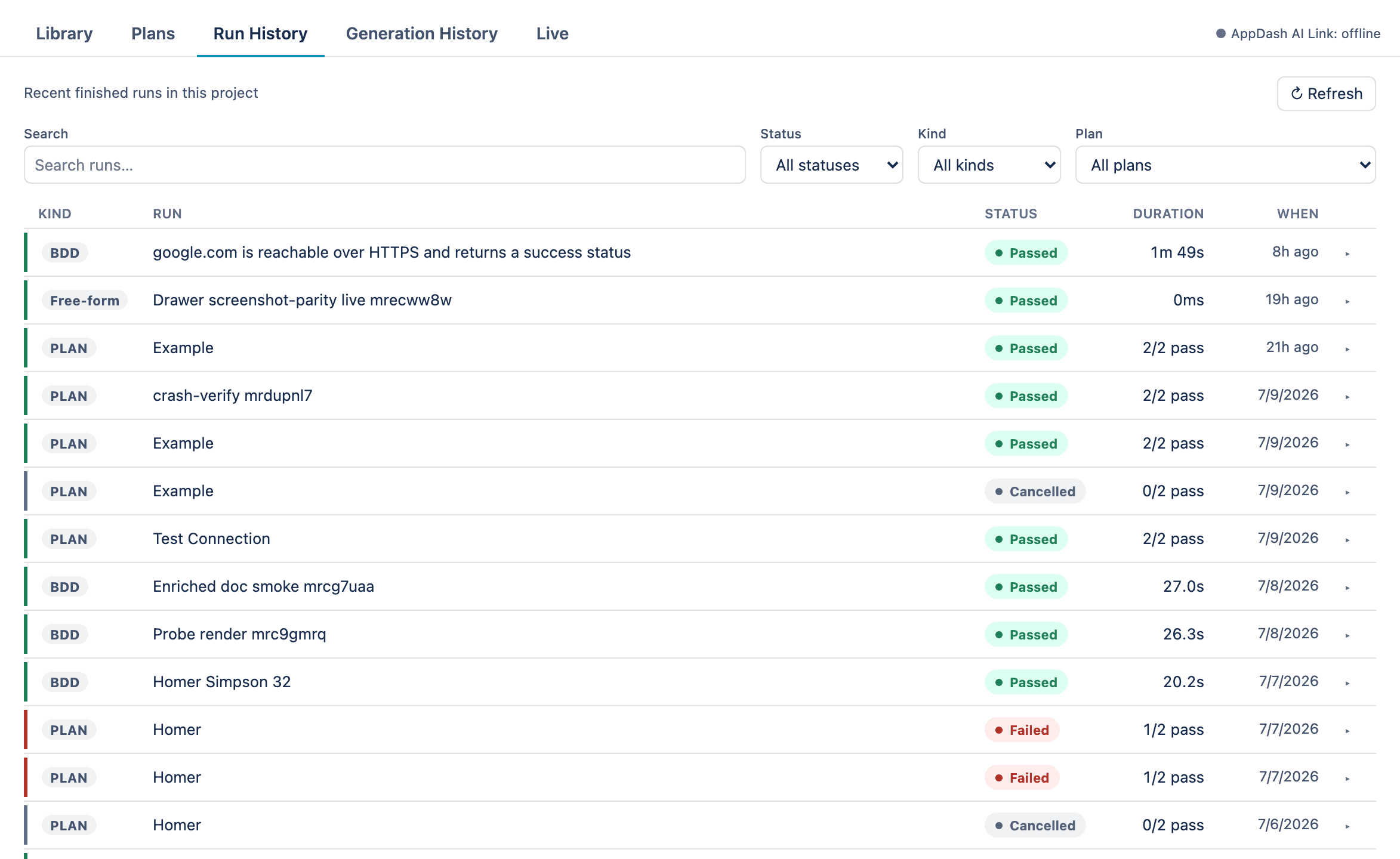
See it work — pass, fail, and everything between.
Real screenshots from the product. Honest about failures, because that’s what testing is for.
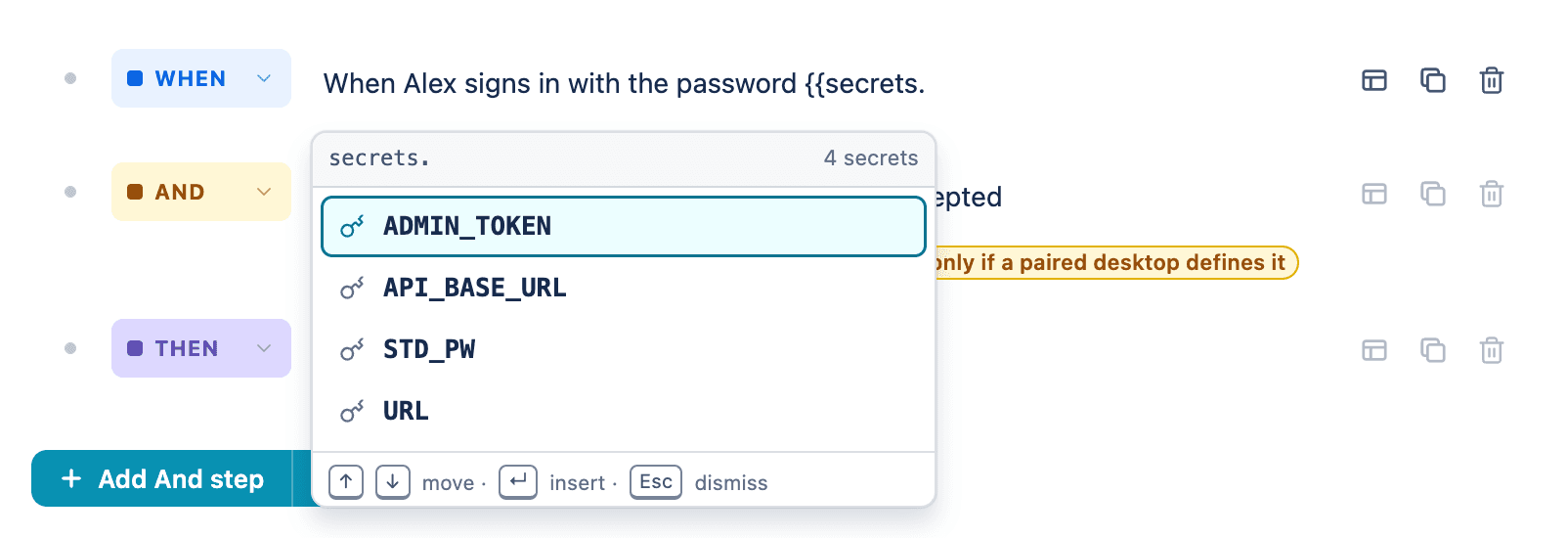
Architecture that respects your perimeter.
Tests are dispatched from Jira but executed on your hardware. Only the result travels back.
Jira Issue
Test definition, run history, and results live on the issue panel in Jira.
Desktop App
The desktop app polls for jobs, runs your AI agent, and drives your local browser.
Your AI Agent + Browser
Your agent executes browser actions and API calls. The verdict streams back to Jira.
Bring your own agent
VibeTest runs through the AI coding agent you choose — Claude Code by default, or any CLI agent you configure. You control the model, the cost, and the environment. There are no per-run cloud fees.
Built for teams who test behind the firewall.
QA & test engineers
Coverage without maintaining a fragile automation suite. Write a scenario on the issue; watch AI run it in a real browser.
Product managers & analysts
Finally write executable acceptance tests in the language you already use — no code, no waiting on engineers.
Developers
A fast, AI-run check attached to the issue, using the agent and machine you already trust.
Security-conscious teams
Coverage that never sends your code or data to a third-party testing cloud. See the security model →
Security by design, not by promise.
No external backend. Your app data, credentials, and browser sessions never leave your machine. Only the result and screenshots return to Jira.
Ed25519-signed pairing
Your desktop and Jira pair with a signed handshake — no shared secrets in transit.
OS-keychain secrets
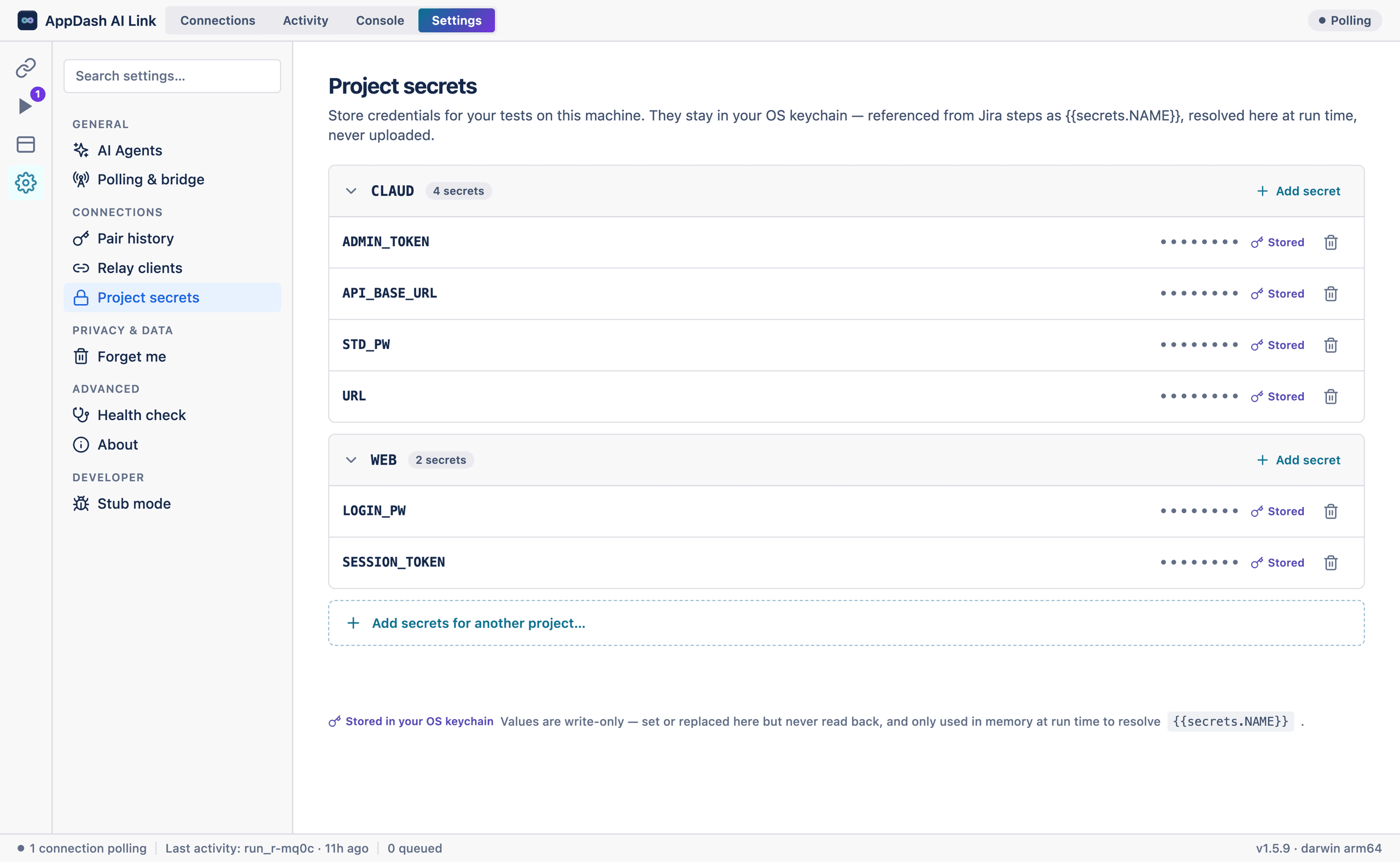
Test credentials live in your OS keychain — write-only, never uploaded.
Per-job JWT
Each run is authorized by a short-lived token scoped to that single job — nothing long-lived.
Data sovereignty
Execution happens on hardware you control. Your perimeter stays your perimeter.
Free to install.
Install today at no cost — free for a limited time. No card, no catch.
Questions, answered.
Do I need to write code?
No. Write tests in plain English or Given/When/Then — or have AI draft them for you from a requirement, then tweak. No Selenium, no Cypress.
Who needs the desktop app?
Anyone whose test actually runs. Authors can write tests in Jira from any device; the test executes on a paired machine — yours or a teammate’s.
Is it really private?
Yes — execution happens on your own machine with your own agent and logins. The app has no external backend; Jira only receives the result.
Which AI agent does it use?
The one you choose — Claude Code by default, or any CLI agent you configure. You control model and cost; there are no per-run cloud fees.
Mac or Windows?
Both. The desktop companion runs on macOS (Apple Silicon and Intel, a single universal build) and 64-bit Windows 10 or 11.
Test what cloud runners can’t — free.
Install VibeTest from the Atlassian Marketplace, pair the free desktop app, and run your first test in minutes.